Zero Trust AI Control

Unlock the power of AI
without giving up control.

Define exactly what your AI agents can access, launch, and connect to as they work across your environment.
Protect sensitive data
Specify which files and folders an agent—and the processes it invokes—can read, modify, or delete.
Prevent unwanted changes
Restrict higher-risk actions, such as changes to protected registry locations, without preventing your agents from completing approved work.
Control what AI agents can reach and execute
Decide which applications, scripts, internet destinations, and administrative tools an AI agent can reach, launch, or interact with.
AI agents access files, launch applications, run scripts, connect to services, make changes across your environment. And a single request can set off a chain of actions involving PowerShell, Office, browsers, scripts, and other approved tools.

ThreatLocker Zero Trust AI Control (ZTAIC) allows you to deploy AI agents without giving them unnecessary reach across your environment. Give agents what they need to get the job done while keeping everything else outside their boundaries—even as they invoke other applications and processes.
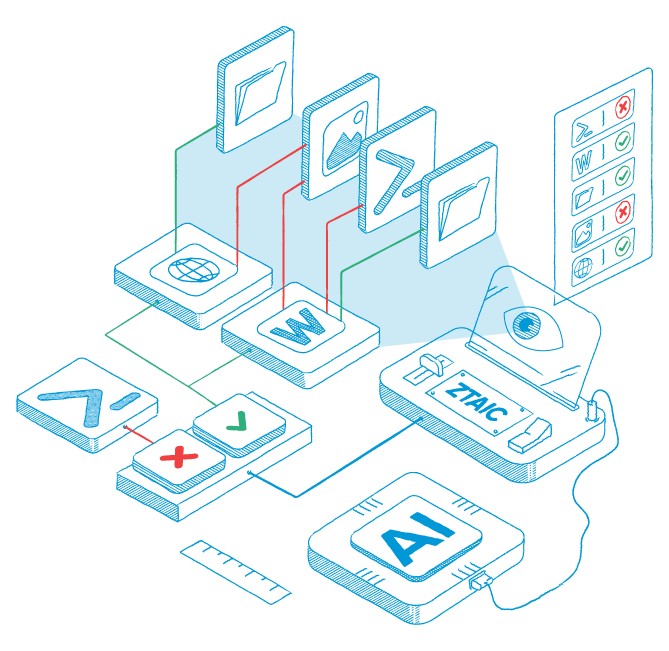
Zero Trust AI Control from ThreatLocker controls how AI tools and agents behave and what they can access

One request results in multiple actions. Your boundaries stay in place throughout.

Ask an AI agent to summarize project files, update a spreadsheet, and prepare a report. Behind the scenes, it might run a script, invoke PowerShell, open Office, and connect to an online service. Approving the AI agent should not mean approving everything that happens next.

ZTAIC carries Zero Trust controls through the workflow. If the agent invokes PowerShell, Office, or another approved application, the boundaries you set remain in force. The workflow gets access to approved resources while unrelated files, systems, applications, and internet destinations stay out of reach.
ThreatLocker has been a gamechanger for us, especially in incident response. Before implementing it, our defenses were primarily reactive. With ThreatLocker, we now have a proactive layer of security that limits what applications can run on our network.
Shane Rogers
IT Director
Harrison Steel Castings Company

Here’s how it works:

Define what the agent is allowed to do
Start with pre-built policies that do most of the work for you. Apply them to your environment, adjust the permissions and boundaries to fit your needs, and you have strong Zero Trust guardrails in place controlling what AI agents can access, launch, connect to, and change.
Maintain your strongest safeguards in place
ZTAIC respects policy priority throughout the workflow. An agent might be allowed to invoke PowerShell for an approved task while a higher-priority policy still prevents PowerShell from accessing a protected location. Move forward with AI while maintaining the security controls you already rely on.
Set priorities for exceptions and hard stops
Use policy priority to determine which restriction applies when multiple policies are relevant. Administrators can permit a legitimate workflow while retaining stricter rules for sensitive applications and actions.
Monitor all AI agents activity from one dashboard
The Zero Trust AI Control Dashboard provides a centralized view of all AI activity and enforced policies across your environment, so you can quickly identify which agents are deployed, which files are accessed by them, and where are the gaps in protection. Plus, the dashboard provides recommendations for security policies to strengthen your control over AI.

Define exactly how far AI agents can go

Put AI agents to work without giving them free rein. Give them the permissions they need, keep everything else out of reach, and make sure you—not AI—decide what happens next.