The growing cybercrime community ThreatLocker Threat Intelligence found inside the Vect ransomware affiliate dashboard
Over the last few years, ransomware providers have made a significant shift to affiliate-based exploitation, providing malicious opportunities to interested parties and highlighting ease of use and privacy.
Following TeamPCP’s LiteLLM supply chain attack, the Vect ransomware group has provided widespread access to their affiliate dashboard and has distributed access keys to several members of the hacker community BreachForums.
ThreatLocker Threat Intelligence has obtained an access key to this dashboard, providing exclusive access to the group’s affiliate features, OS-specific samples, and ongoing product support.
Most notably, the dashboard includes a built-in chat feature that allows affiliates to learn from one another and troubleshoot their campaigns. ThreatLocker Threat Intelligence observed a growing network of affiliates actively communicating, supporting, and coordinating with each other.
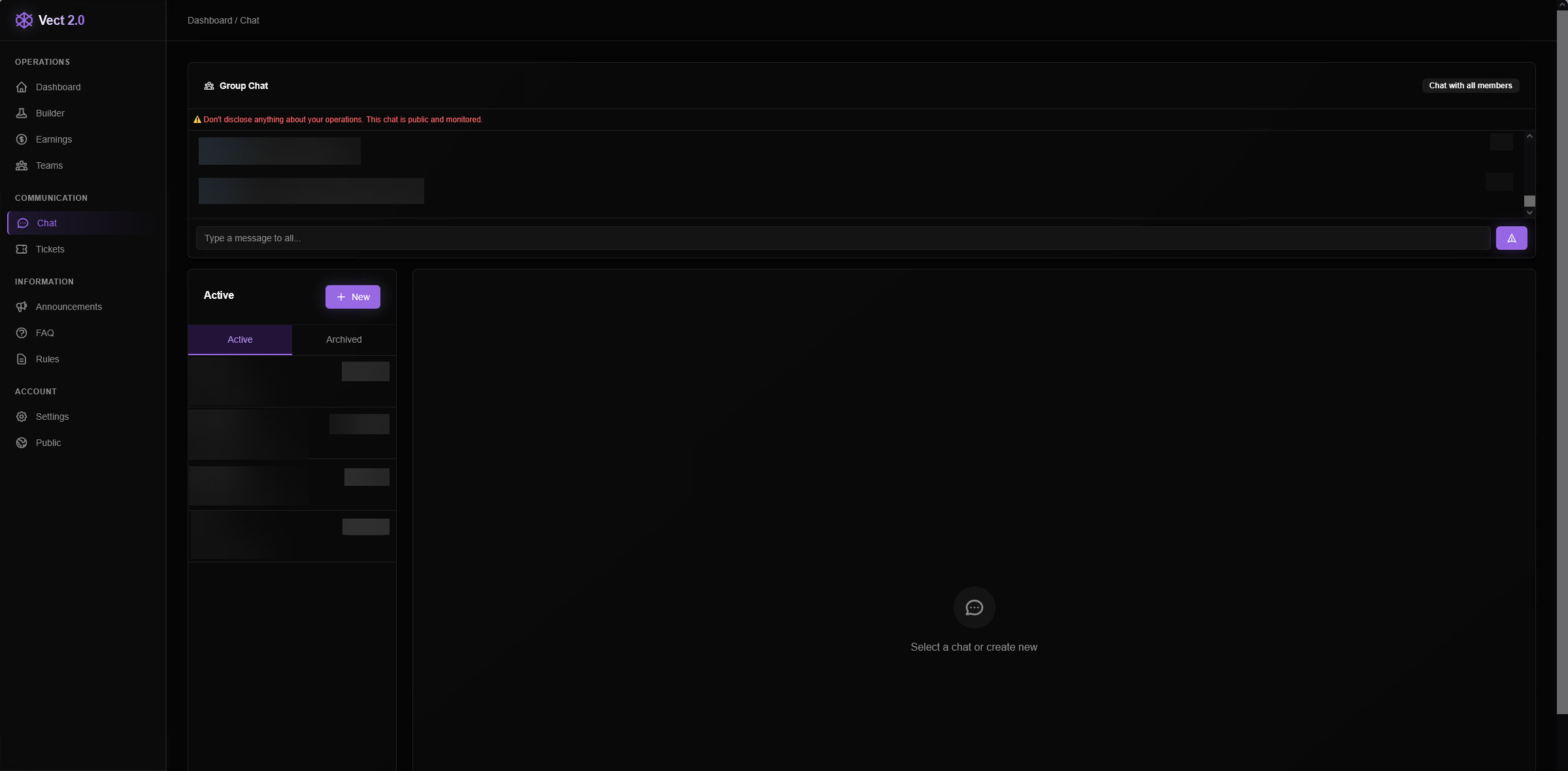
The global group chat contains responses to user questions as well as motivational messages from the “admin” account, indicating direct involvement from Vect administrators in supporting new affiliates.
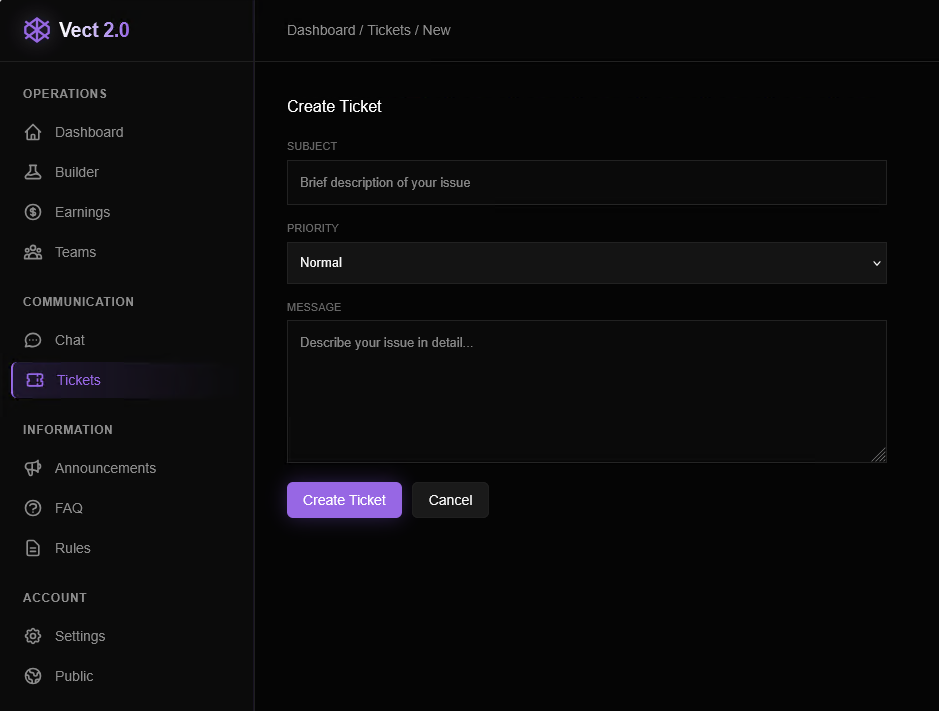
In addition, the platform provides a dedicated support system where affiliates can submit tickets for assistance with their campaigns.
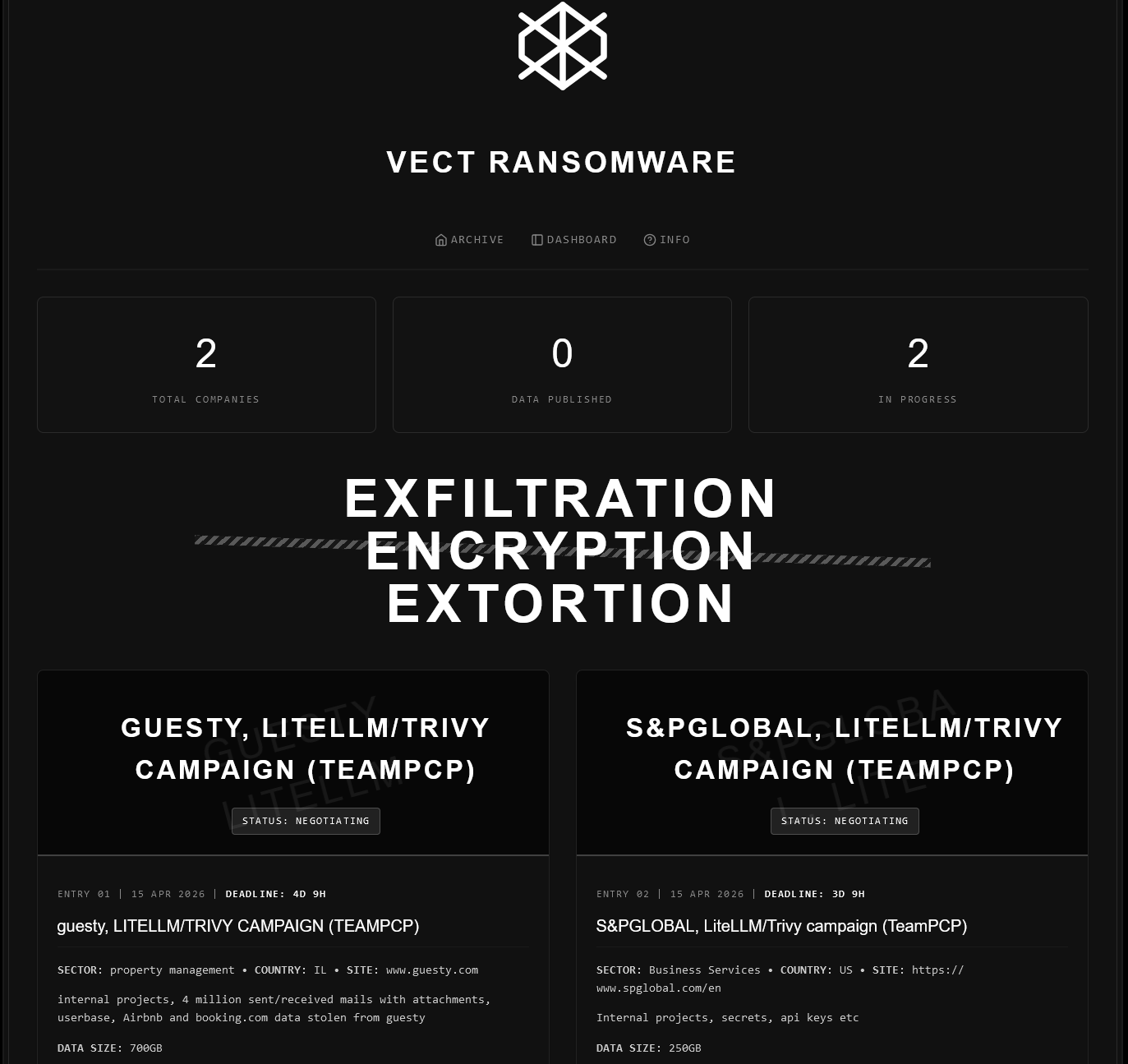
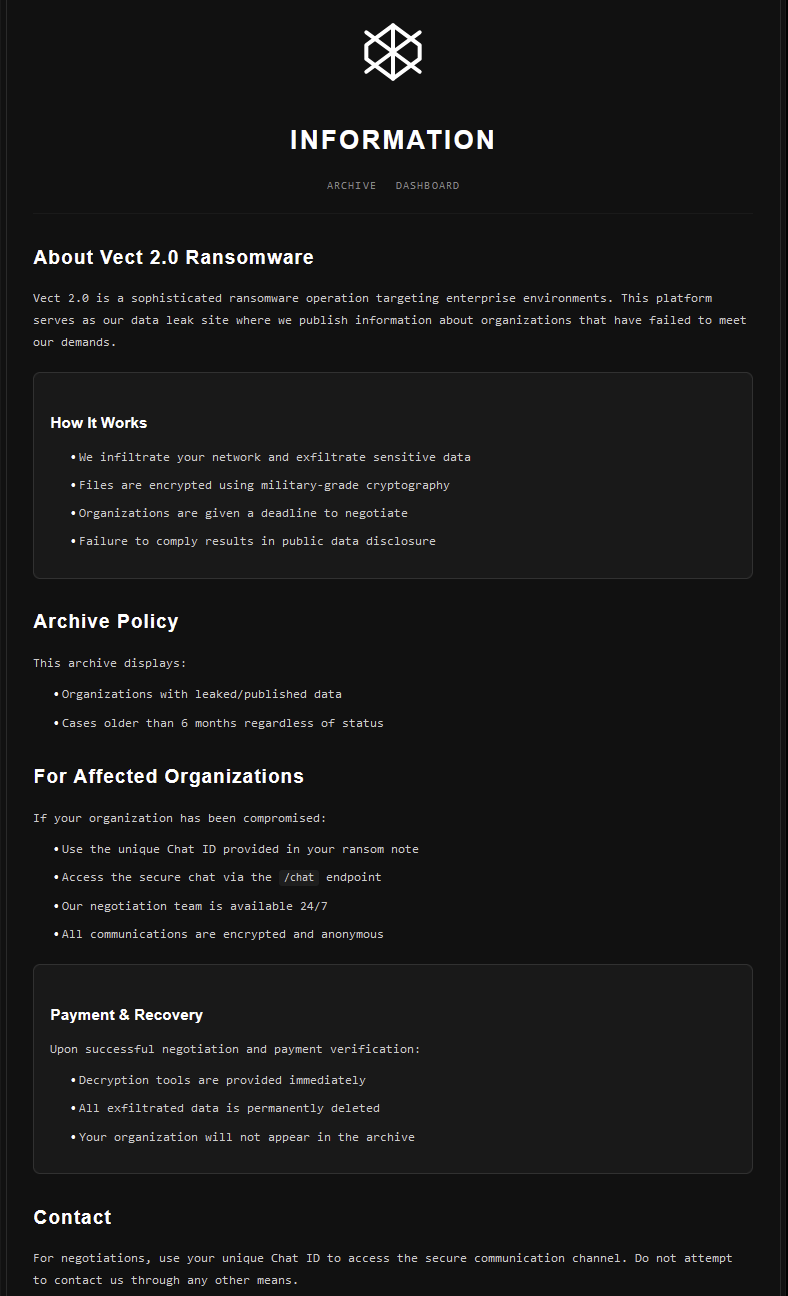
Features of Vect affiliate dashboard
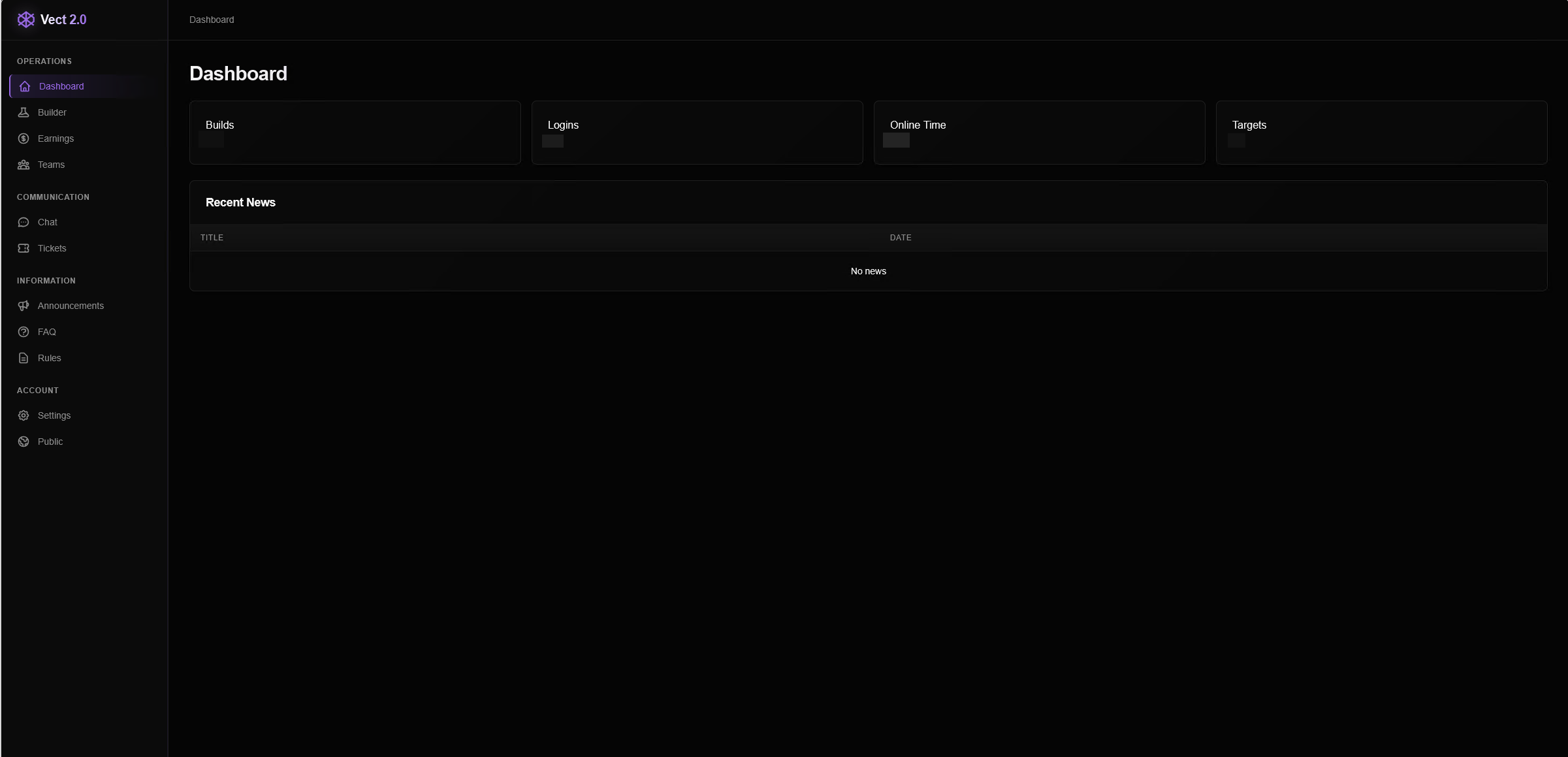
The initial dashboard provides an overview of account activity, highlighting the number of unique builds created, number of logins, remaining session time, and targets created through the dashboard. This page also includes a “Recent News” section, implying that Vect administrators can communicate to all affiliates with news posts.
At the time of writing, this Recent News section was empty. The sidebar navigation on this site also allows the affiliate to select from multiple different features, sources of information, and methods of target organization.
Builder
The “Builder” section allows for a new victim profile to be created for which the encryptor will be built. The only required field is the company name, but several other fields allow specifics such as business sector, ransom amount, revenue estimate, and size of leaked data. These details can later be edited and added to reflect negotiations.
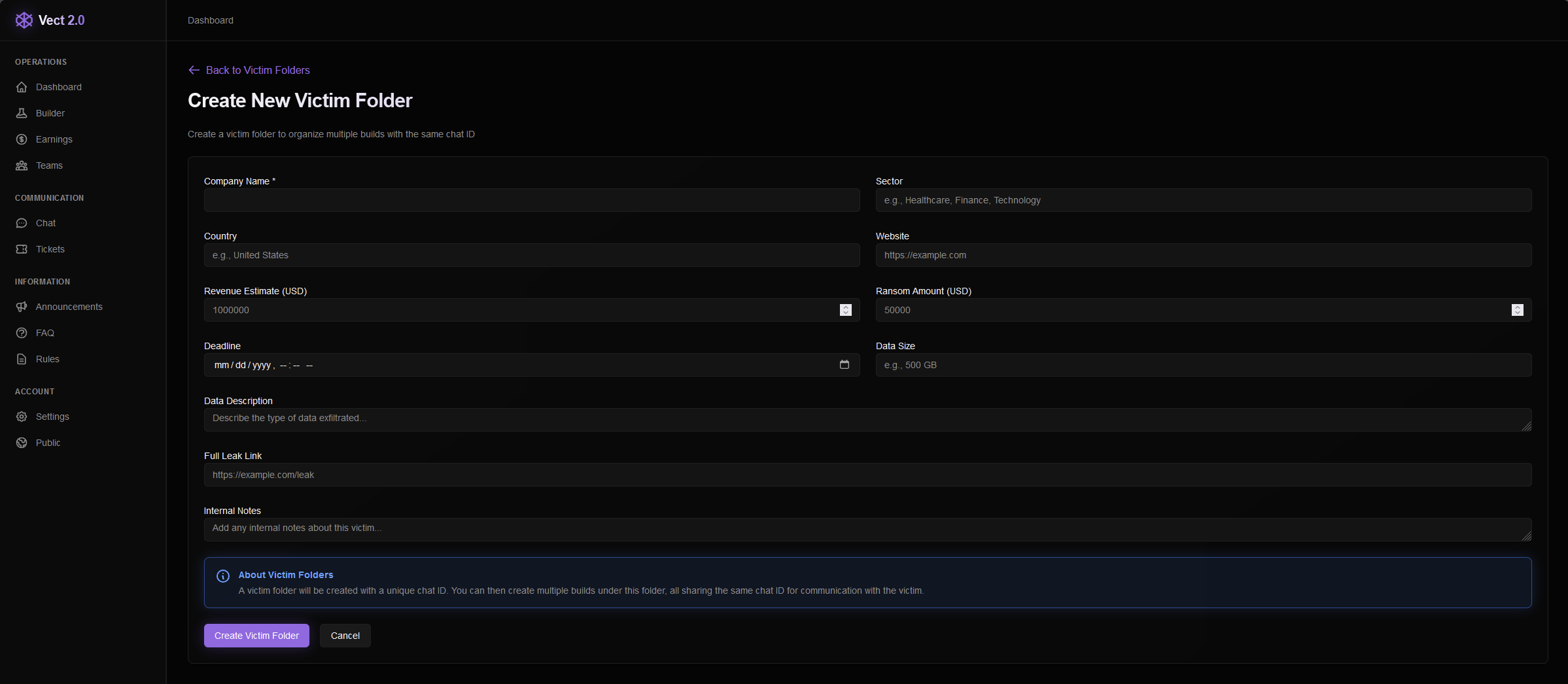
A note is added on this victim setup page that mentions a unique chat ID will be created for this victim which they can use to communicate with the affiliate. Multiple binaries can be created under a single victim that all provide the consistent victim chat ID. The ransom note embeds the victim chat ID along with a separate Onion link for communication.
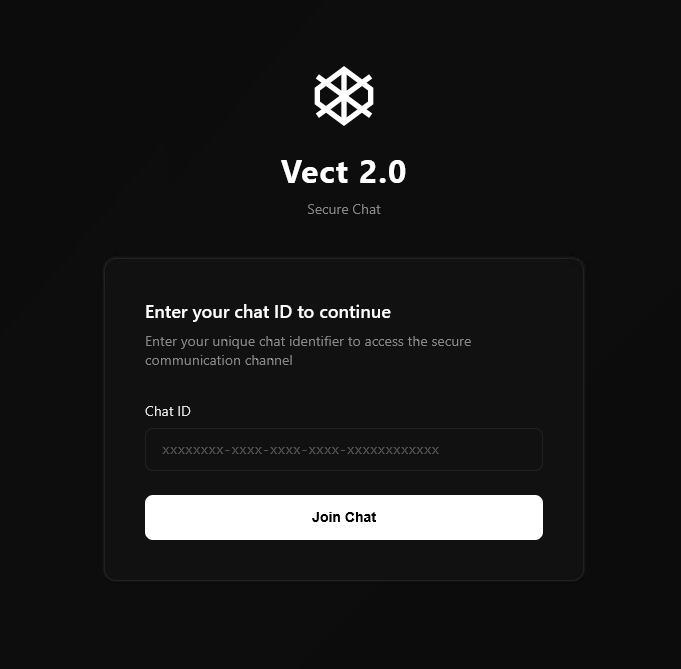
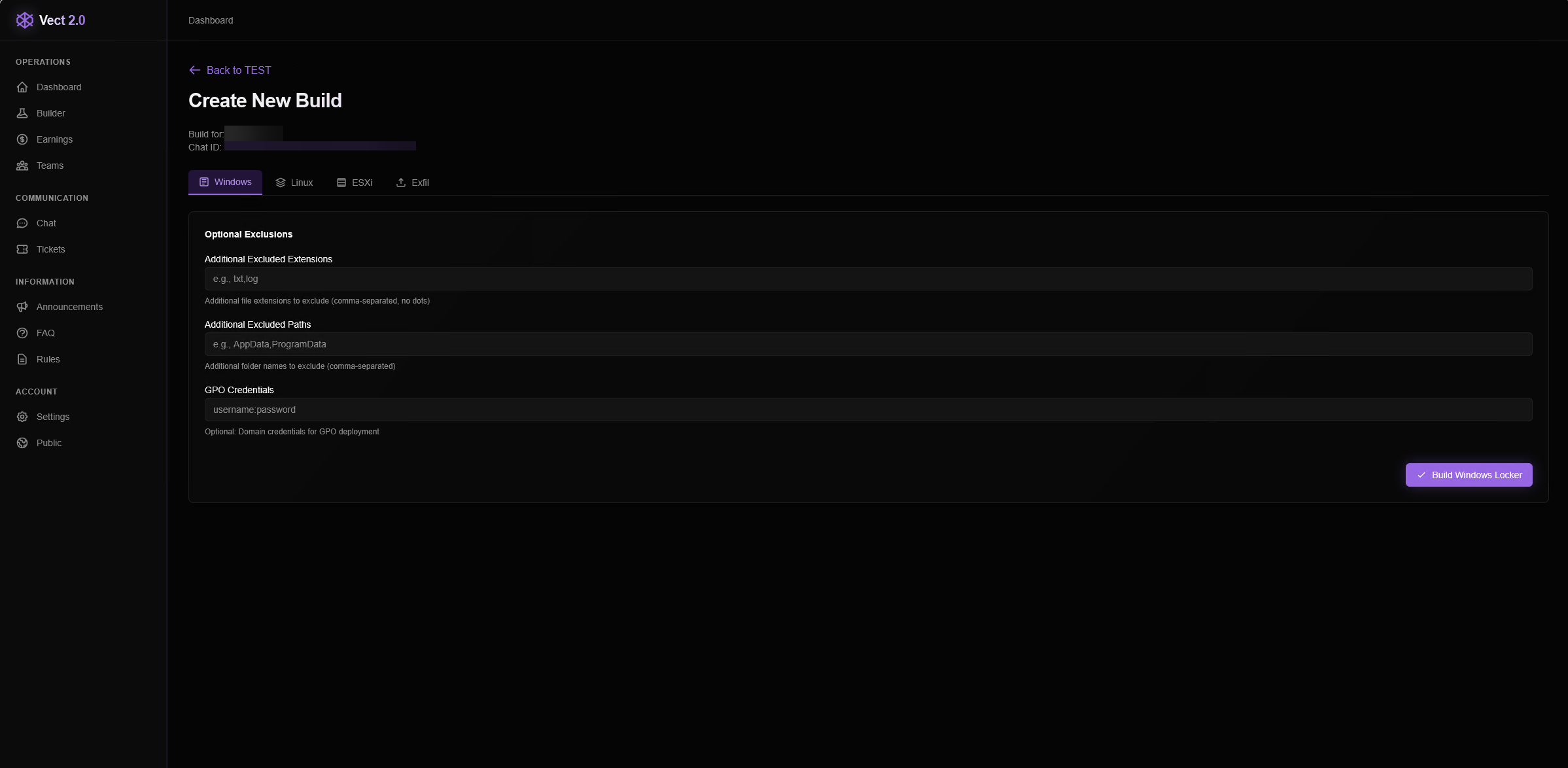
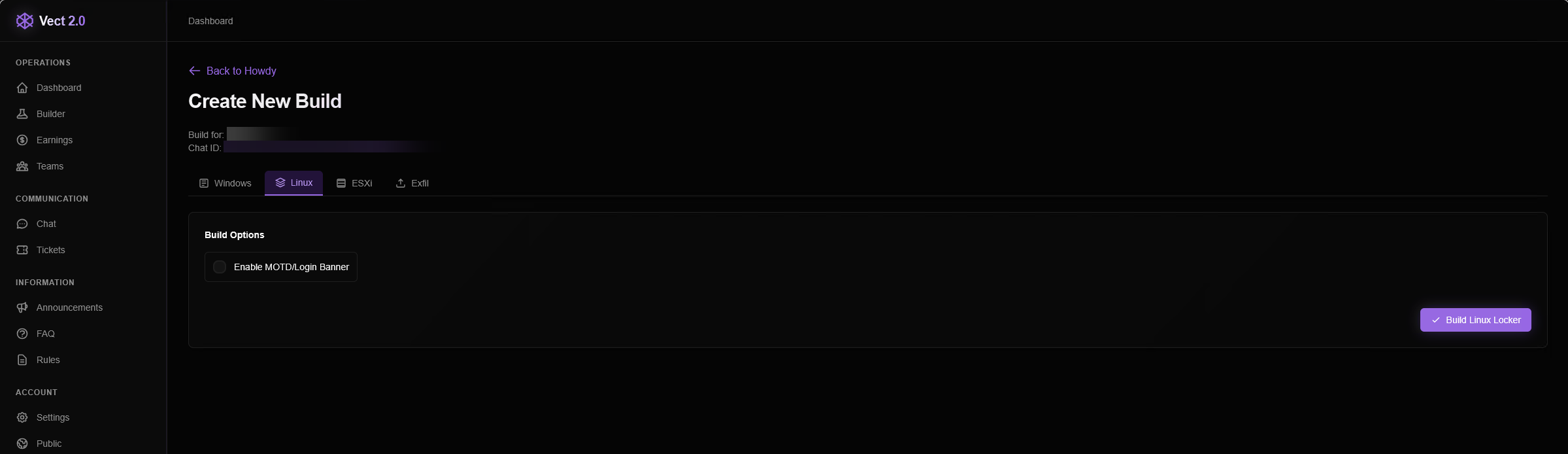
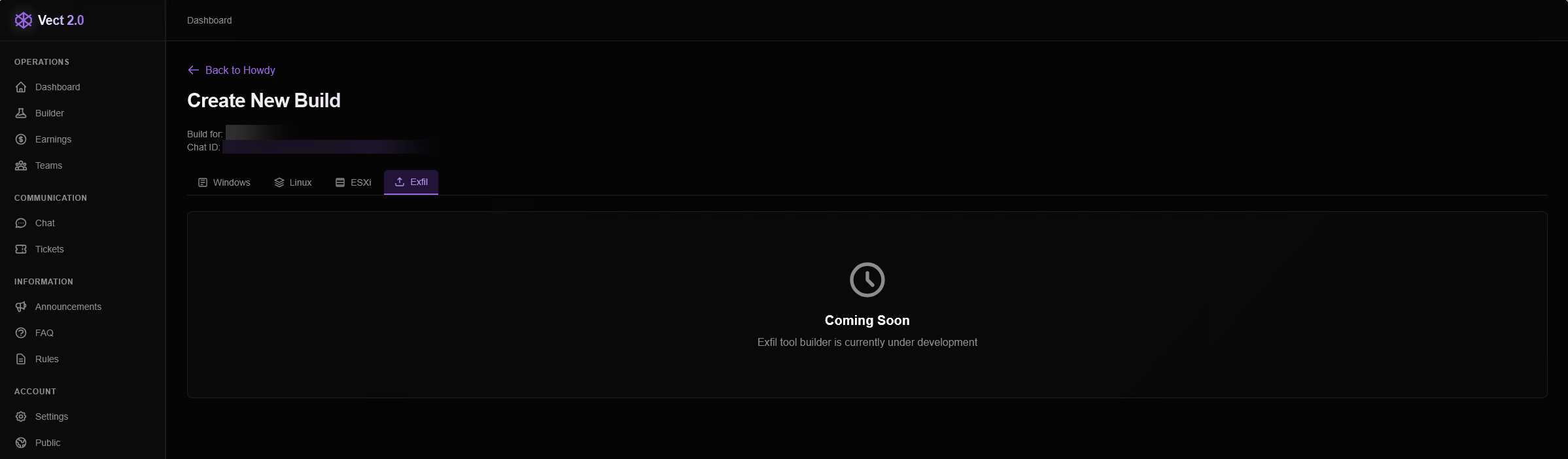
Once a victim profile is created, a new unique encryptor “build” can be compiled. Three options are provided for different builds: Windows, Linux, and ESXI.
The Windows tab allows the affiliate to exclude file extensions and paths as well as provide GPO credentials for compromise and spread through Active Directory environments. Both the Linux and ESXI options offer a checkbox for MOTD/login banners to immediately notify the user on login that their machine has been encrypted.
A fourth download option for an exfiltration-only binary lacking encryption functionality was listed. At the time of writing, this binary was unavailable for download and marked as “coming soon.”
Earnings
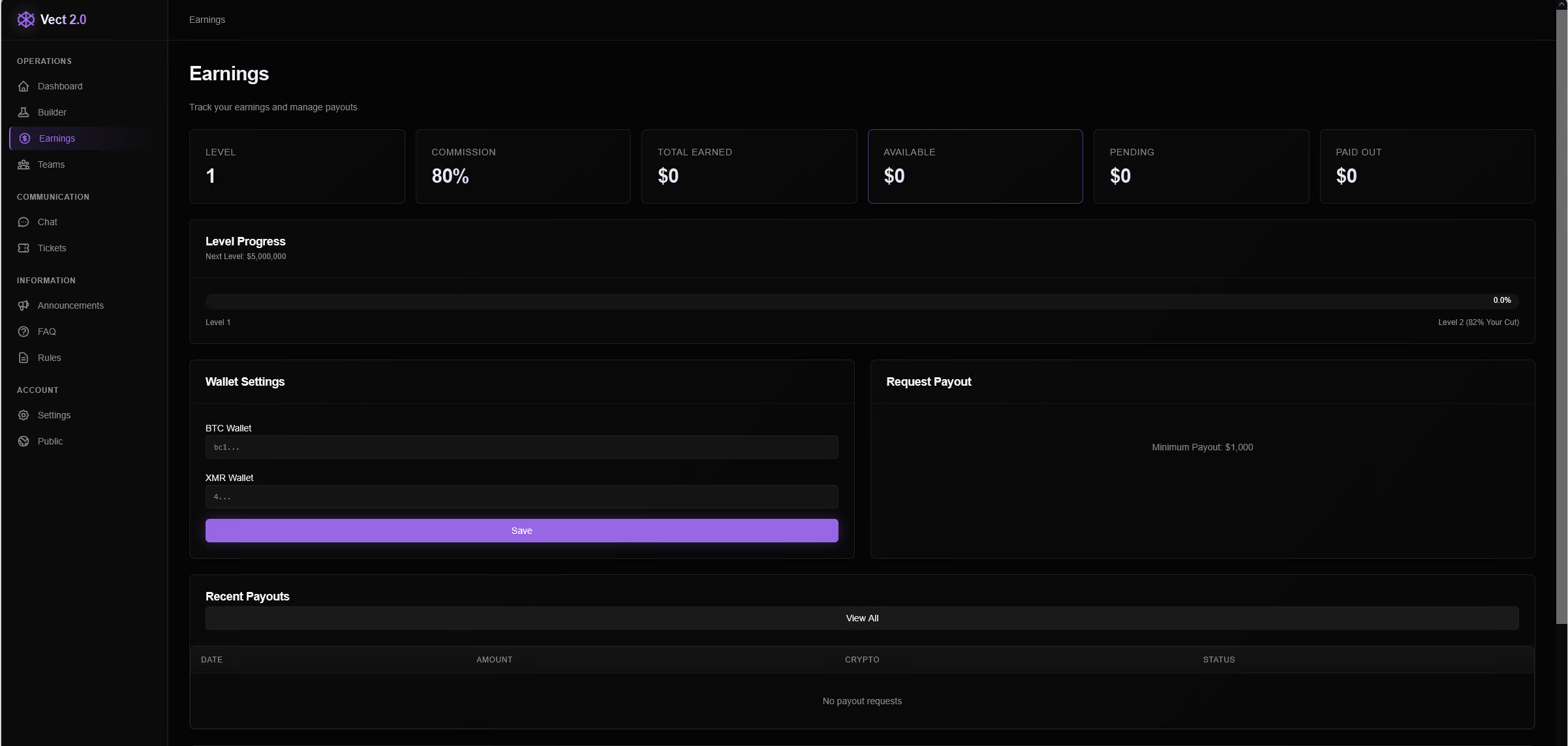
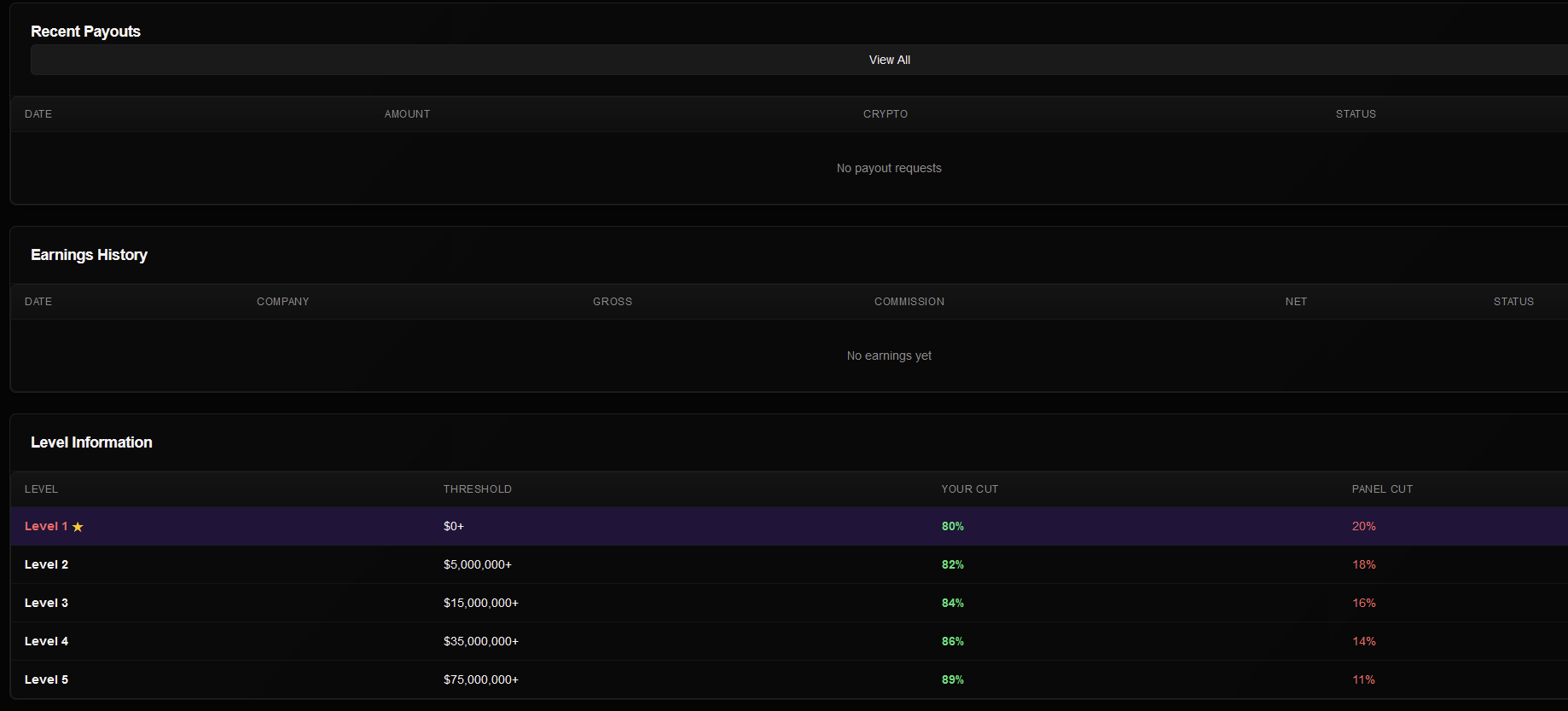
The “Earnings” section allows affiliates to track money made from their victims and boasts an 80% commission share on their first campaign. Progress is also tracked through levels and provides an increase to 82% commission once $5 million is extorted from their victims, upgrading the affiliate to level 2. Achieving level 5 grants the affiliate an 89% commission once $75 million is earned through Vect ransomware.
Wallet settings allow for earned funds to be transferred through cryptocurrency to a Bitcoin or XMR Wallet, where a minimum transfer of $1,000 can be requested.
Teams
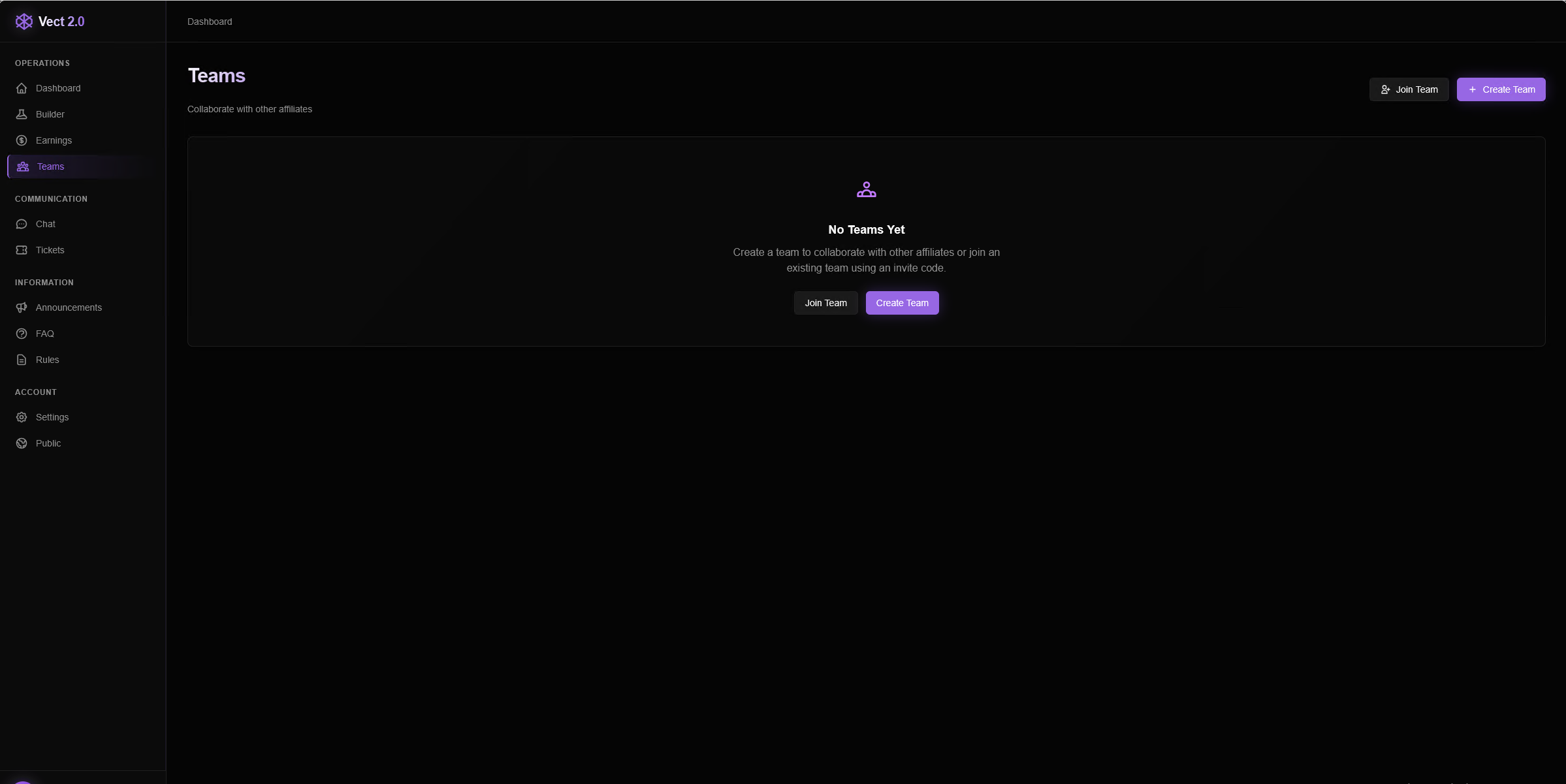
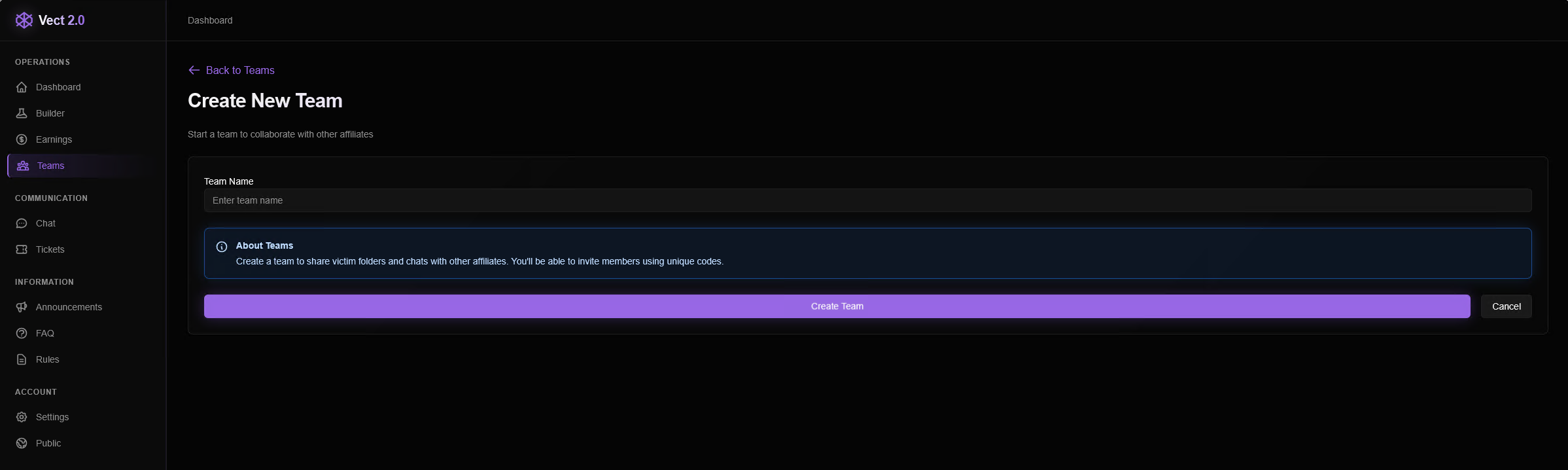
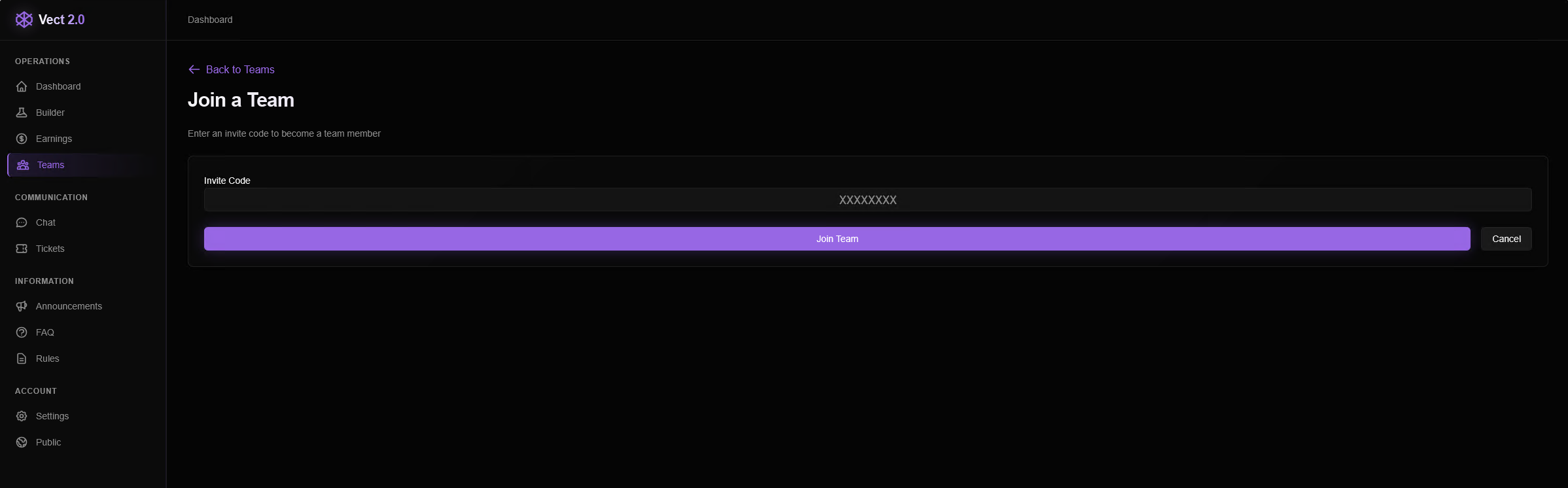
The last section under the Operations group is the ability to create and coordinate a team of affiliates. Once a team is created, unique codes can be given for existing affiliates to join, and victim pages can be shared among team members.
Chat
In the Communication feature section, users have access to a global group chat with other affiliates, Vect administrators, and any active chats with ransomware victims, sorted by their victim pages.
The global group chat includes several answers to questions and even motivational messages from the “admin” user, showing active support from Vect administrators to assist new affiliates.
Support
To double down on active support, affiliates can create and submit support tickets through the Tickets page, including a message and corresponding priority that ranges between low, normal, and high.
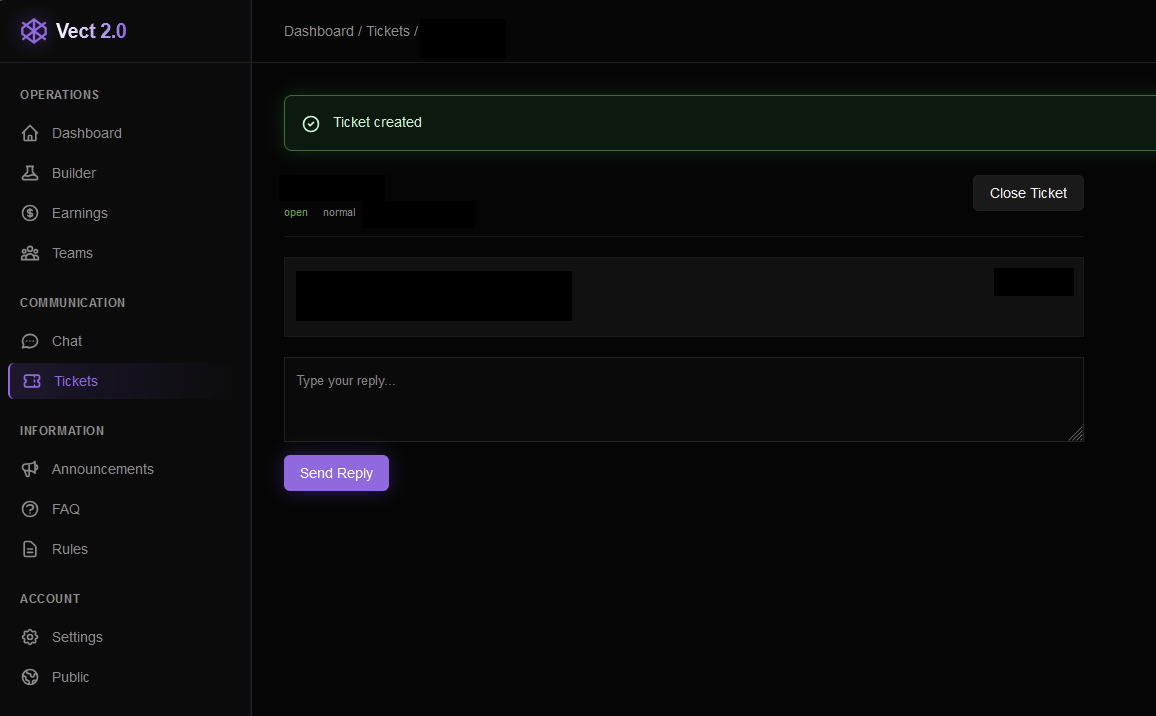
The Information section of the sidebar includes Announcements, an FAQ, and community rules, all of which were empty at the time of writing.
Account Settings
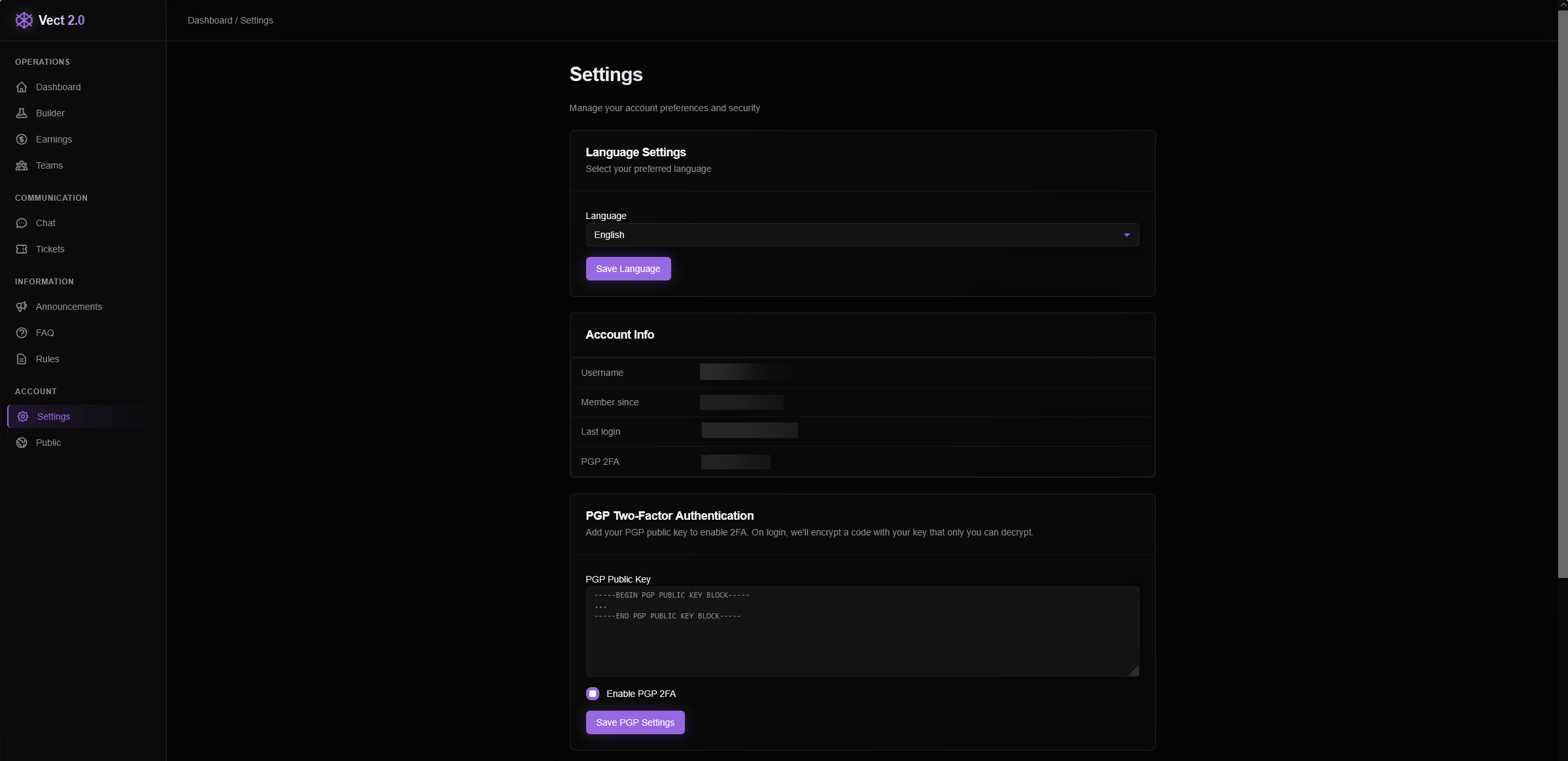
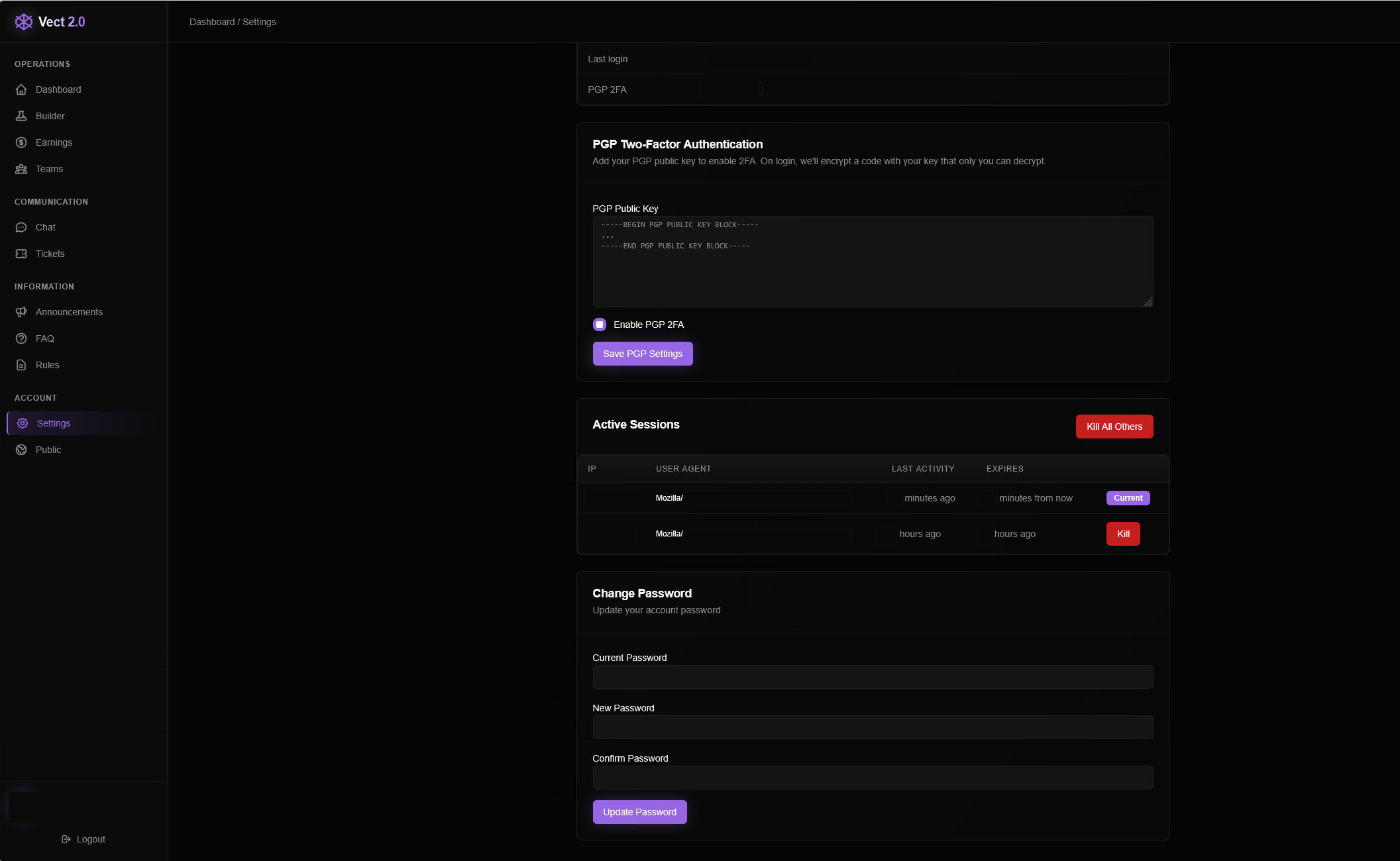
The final Account section allows the user to choose between three languages: English, Russian, and Chinese. Options are also available for 2FA authentication through PGP keys and an active session monitor, which can kill previous and existing sessions through this account.
What the Vect affiliate model means for the future of ransomware
Encryptor binaries for Windows, Linux, and ESXi were captured from this dashboard, and they will be analyzed in the future by ThreatLocker Threat Intelligence.
What’s already clear, however, is the scale and accessibility of this operation. The dashboard remains active and functional, reinforcing a broader shift in the ransomware landscape: Threat actors are no longer relying on their core team to compromise victims. Instead, they are embracing a ransomware-as-a-service model, trading a lower share of the extorted funds for a much higher volume of victims.
For organizations, this means attacks will be more frequent and difficult to predict, and the danger of data exfiltration has many additional layers. A layered, proactive security approach is required rather than reactive defenses.
FAQs
What is Vect ransomware?
Vect is a ransomware operation that appears to follow a ransomware-as-a-service (RaaS) model, providing affiliates with tools, infrastructure, and access to launch attacks against victims.
What is a ransomware affiliate model?
A ransomware affiliate model allows independent threat actors to use pre-built ransomware tools in exchange for sharing a percentage of the profits with the developers. This allows ransomware groups to scale quickly without directly carrying out every attack. It increases reach while reducing risk and boosting profitability.
How can organizations defend against affiliate-driven attacks?
The focus should remain on blocking ransomware from executing. Enforcing default-deny allowlisting policies, least privilege access, monitoring for unusual activity, and enforcing application containment policies to limit later movement.

ABOUT THE AUTHOR
The ThreatLocker Threat Intelligence Team researches active cyberthreats and emerging exploits to understand how attacks work, the paths they take, and their potential impact. The team provides technical analysis and practical mitigation guidance to help organizations reduce risk and strengthen their defenses.